
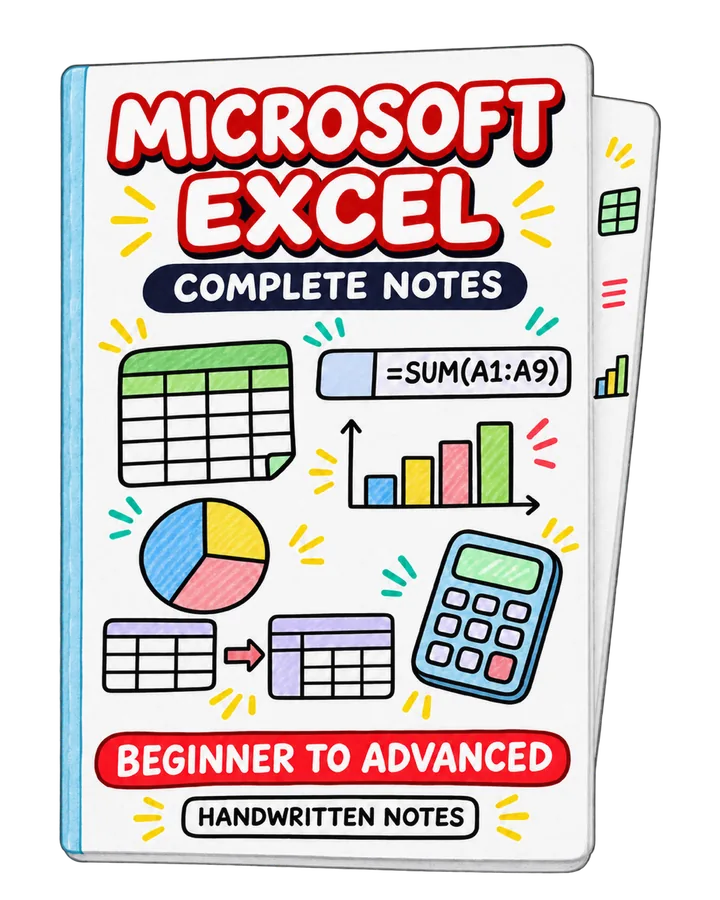
Tech · Beginner to Advanced · Handwritten PDF notes
Microsoft Excel Complete Notes
Instant PDF download after payment. Pay once, keep forever.
- Instant download
- Lifetime access
- UPI, GPay, PhonePe, cards
Complete coverage
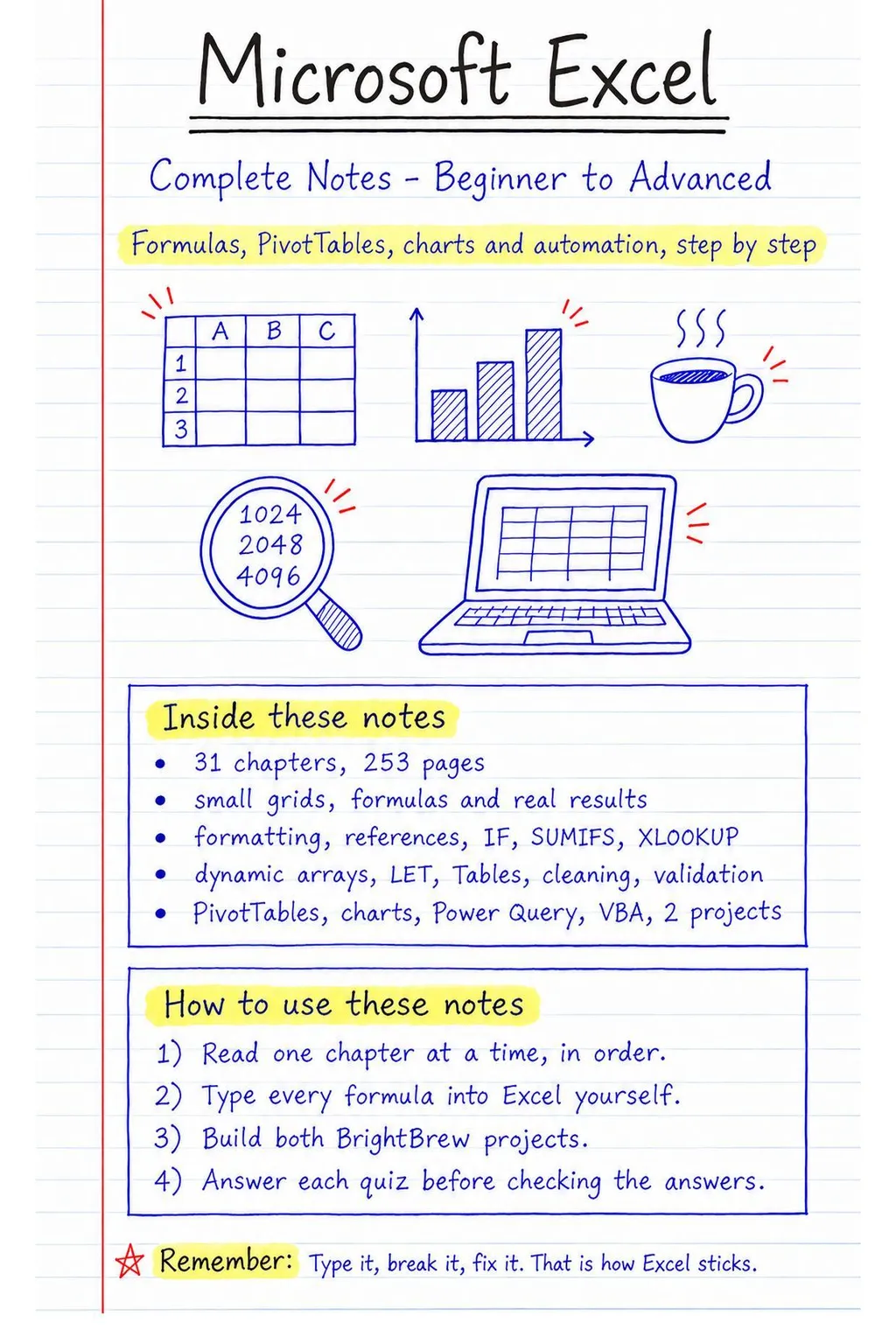
What you learn in all 31 chapters
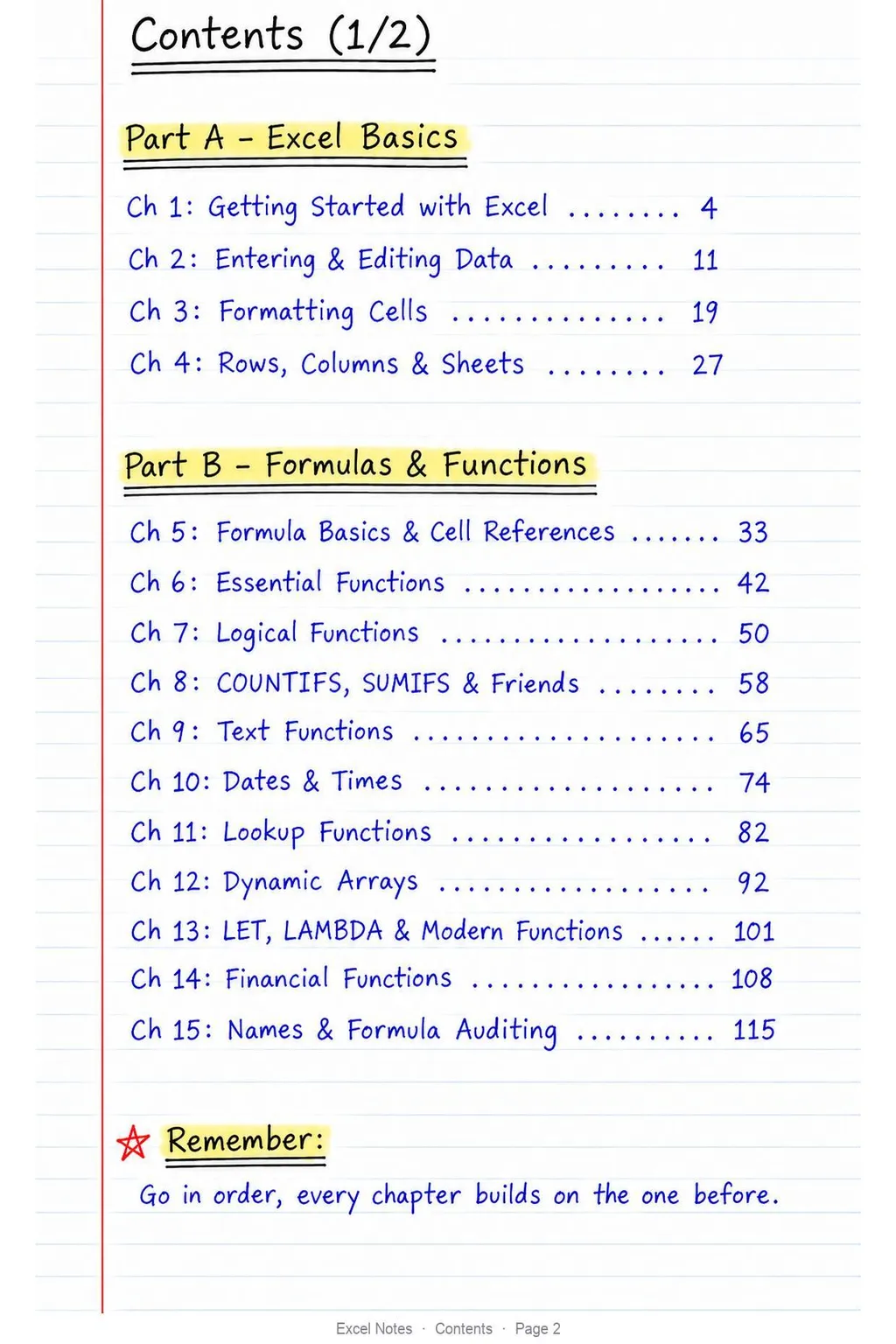
Open any chapter to see every topic it covers and the page it is on.
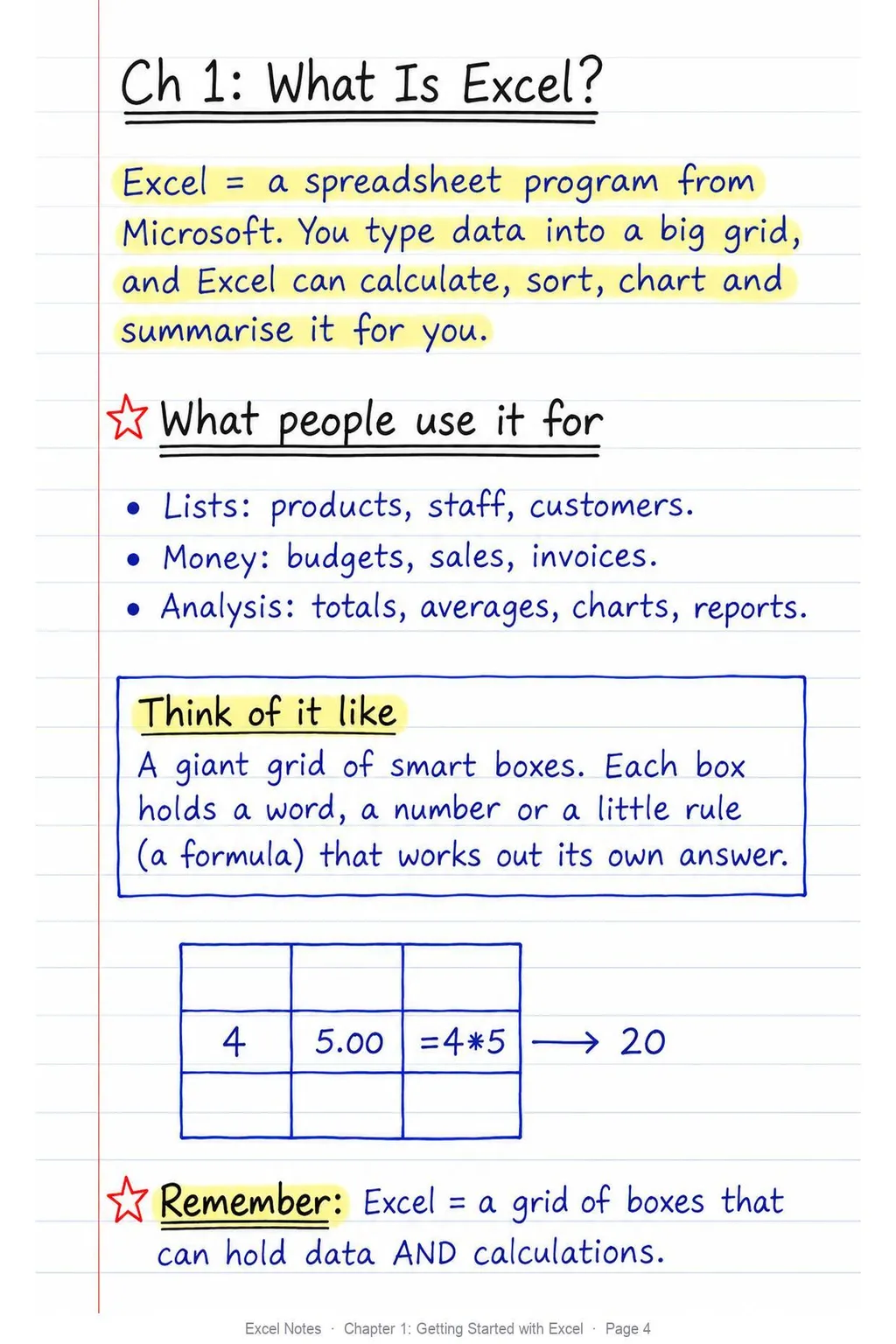
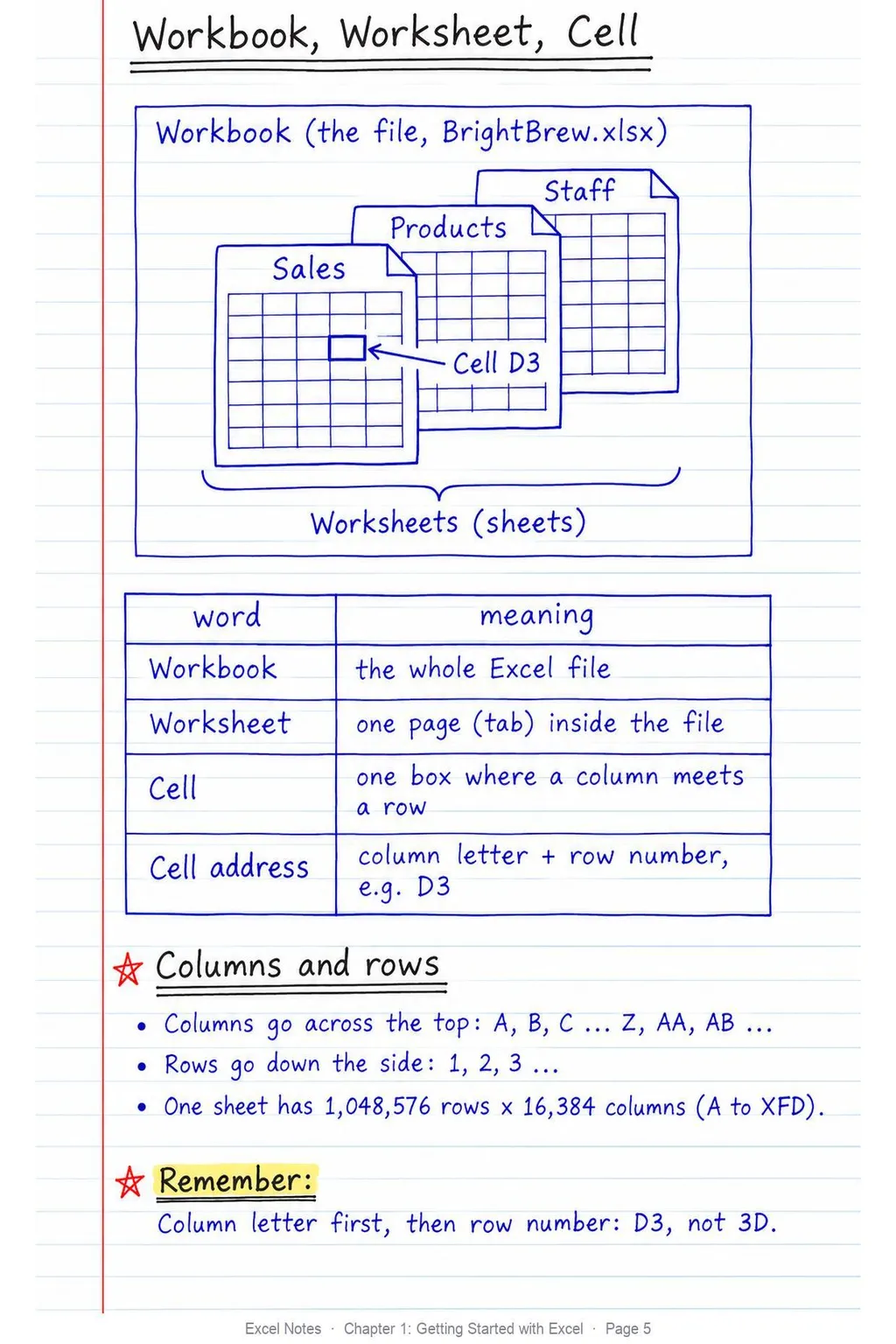
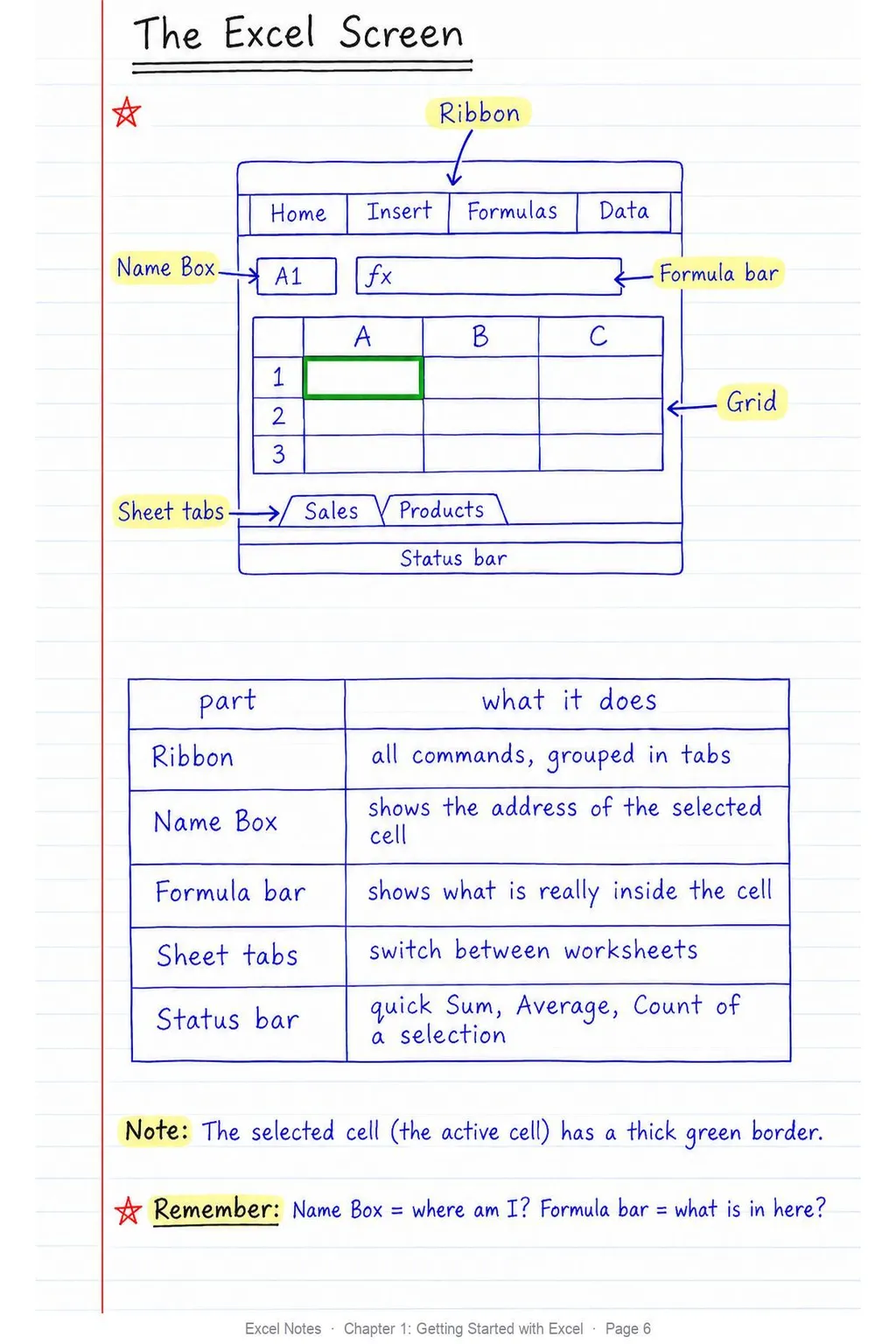
Get comfortable with Excel from day one: what Excel is, workbooks, worksheets and cells, the Excel screen, which version you have, file types and saving, and the BrightBrew running example.
Enter and edit data quickly: text, numbers and dates, editing cells, AutoFill, Flash Fill, Paste Special, Find and Replace, and the must-know undo, redo and shortcut keys.
Make your data look right: number formats, decimals and thousands separators, why dates are really numbers, alignment, wrap text and merging, borders and fill, custom number formats and Format Painter.
Control your layout: insert, delete and resize rows and columns, freeze panes to keep the header in view, hide and group, work with sheets and move fast around a sheet.
Write your first formulas: start with =, operator order, cell references instead of typed numbers, relative, absolute and mixed references, references to other sheets and common error values.
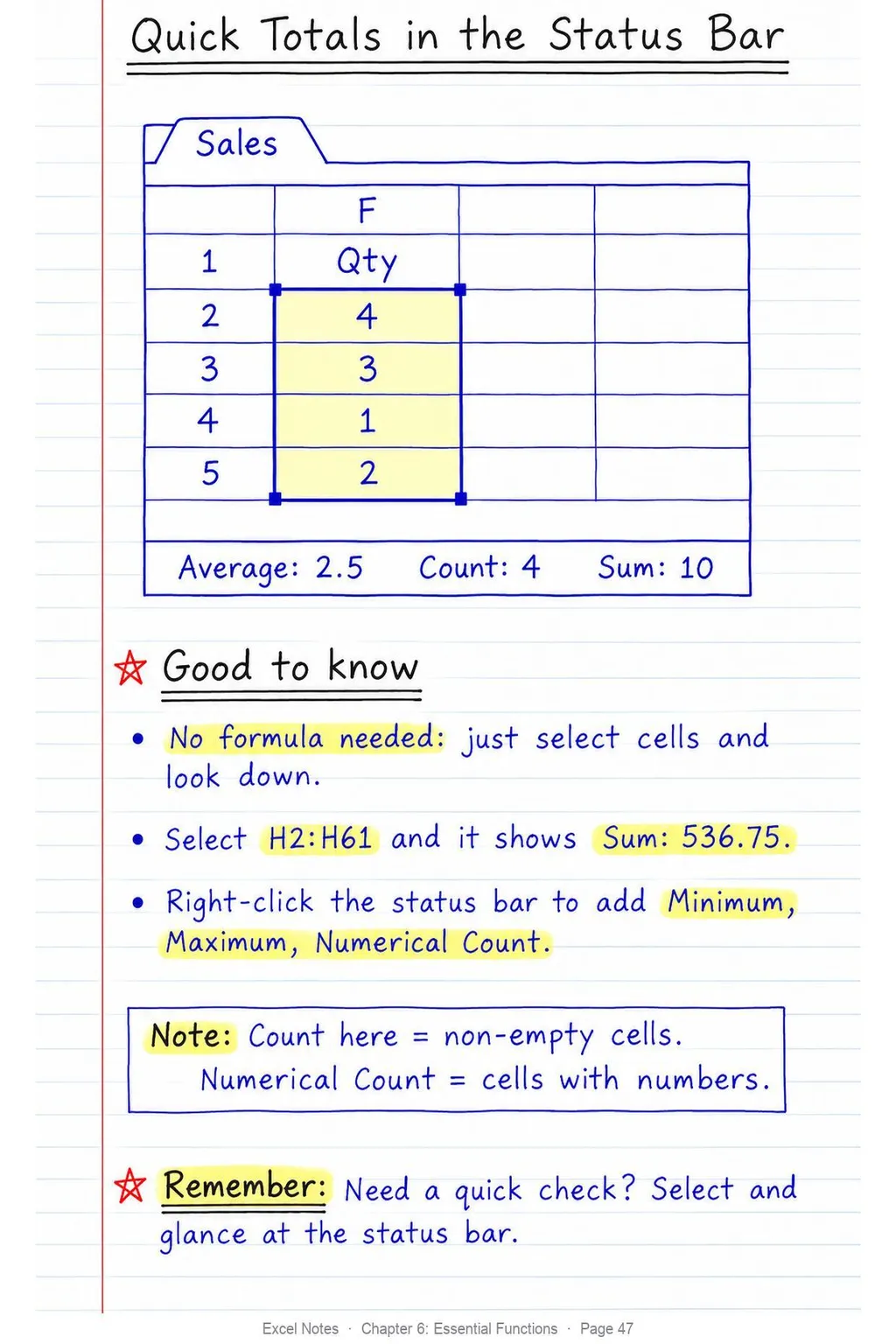
Learn the functions you will use every day: how a function is written, SUM and AutoSum, AVERAGE, MIN and MAX, COUNT, COUNTA and COUNTBLANK, the ROUND family, the status bar and Insert Function.
Make formulas decide: comparisons, IF, nested IF versus IFS, AND, OR and NOT, IF with AND on airport coffee orders, IFERROR and IFNA, and SWITCH.
Count and total by condition: COUNTIF, writing criteria, SUMIF, SUMIFS and COUNTIFS with several conditions, AVERAGEIF and AVERAGEIFS, MAXIFS and MINIFS.
Work with text: join with & and CONCAT, TEXTJOIN, LEFT, RIGHT and MID, LEN, FIND and SEARCH, TRIM, CLEAN and case functions, SUBSTITUTE and REPLACE, TEXT, TEXTBEFORE, TEXTAFTER and TEXTSPLIT.
Master dates and times: how Excel stores them, TODAY and NOW, DATE, YEAR, MONTH and DAY, days between and adding days, EOMONTH and EDATE, WEEKDAY, NETWORKDAYS, WORKDAY and DATEDIF.
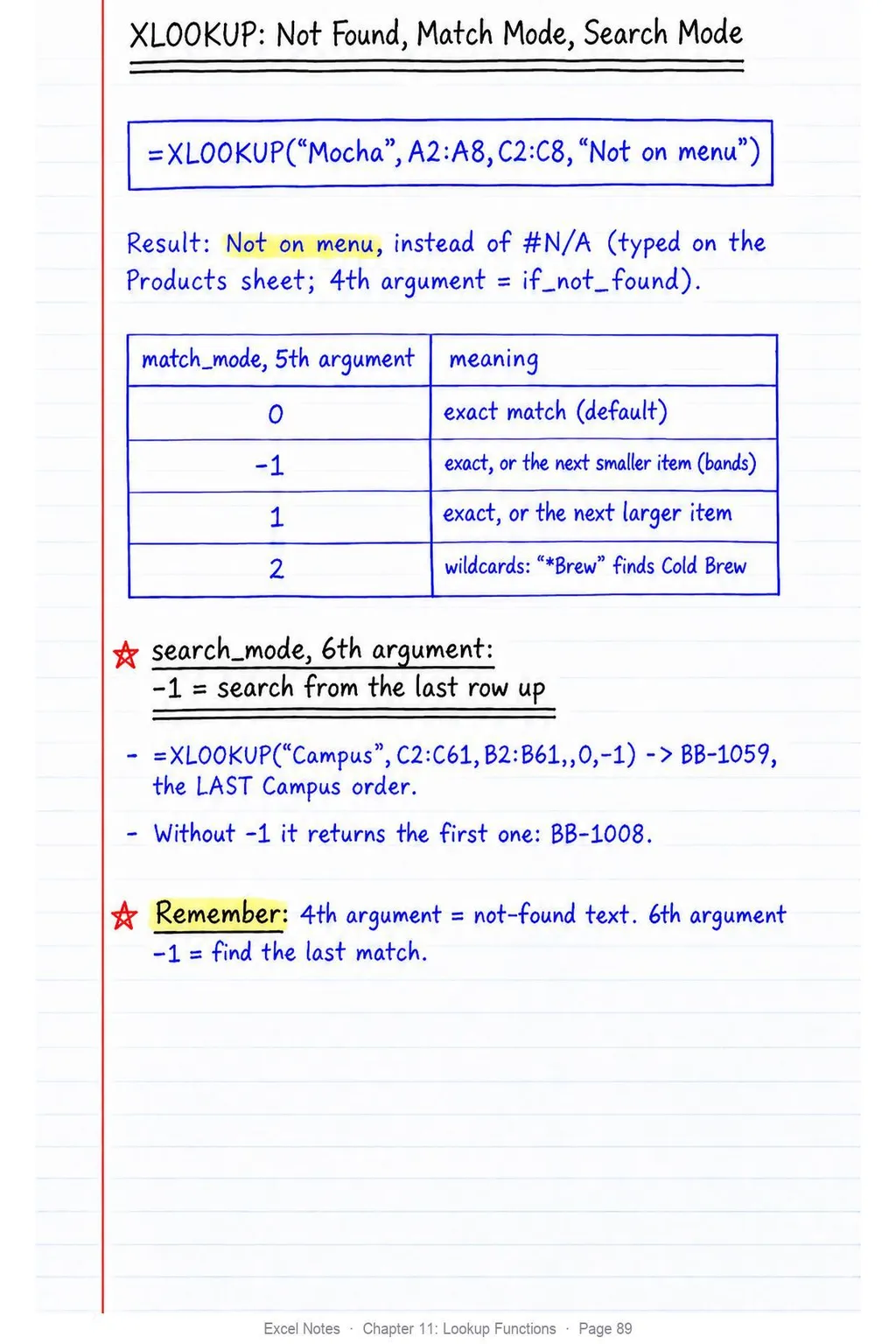
Look up values from another table: VLOOKUP exact and approximate match, its limits, HLOOKUP, INDEX and MATCH, XLOOKUP with not-found, match and search modes, and two-way lookups.
Let one formula return many results: spilling and the #SPILL! error, UNIQUE, SORT and SORTBY, FILTER with one or two conditions, SEQUENCE, and combining them such as SORT(UNIQUE()).
Go further with modern functions: LET to name parts of a formula, LAMBDA for your own functions, MAP and BYROW, VSTACK and HSTACK, TAKE, DROP and CHOOSECOLS, and when to use which.
Handle money over time: PMT for loan payments, FV for savings growth, PV for value today, NPV and IRR to judge a new store, and a brief look at RATE and NPER.
Keep formulas readable and trustworthy: named ranges and Name Manager, trace precedents and dependents, Evaluate Formula, Show Formulas, error checking and circular references.
Turn ranges into Excel Tables: why use them, creating and naming a table, structured references, calculated columns, the Total Row, tables versus plain ranges and slicers.
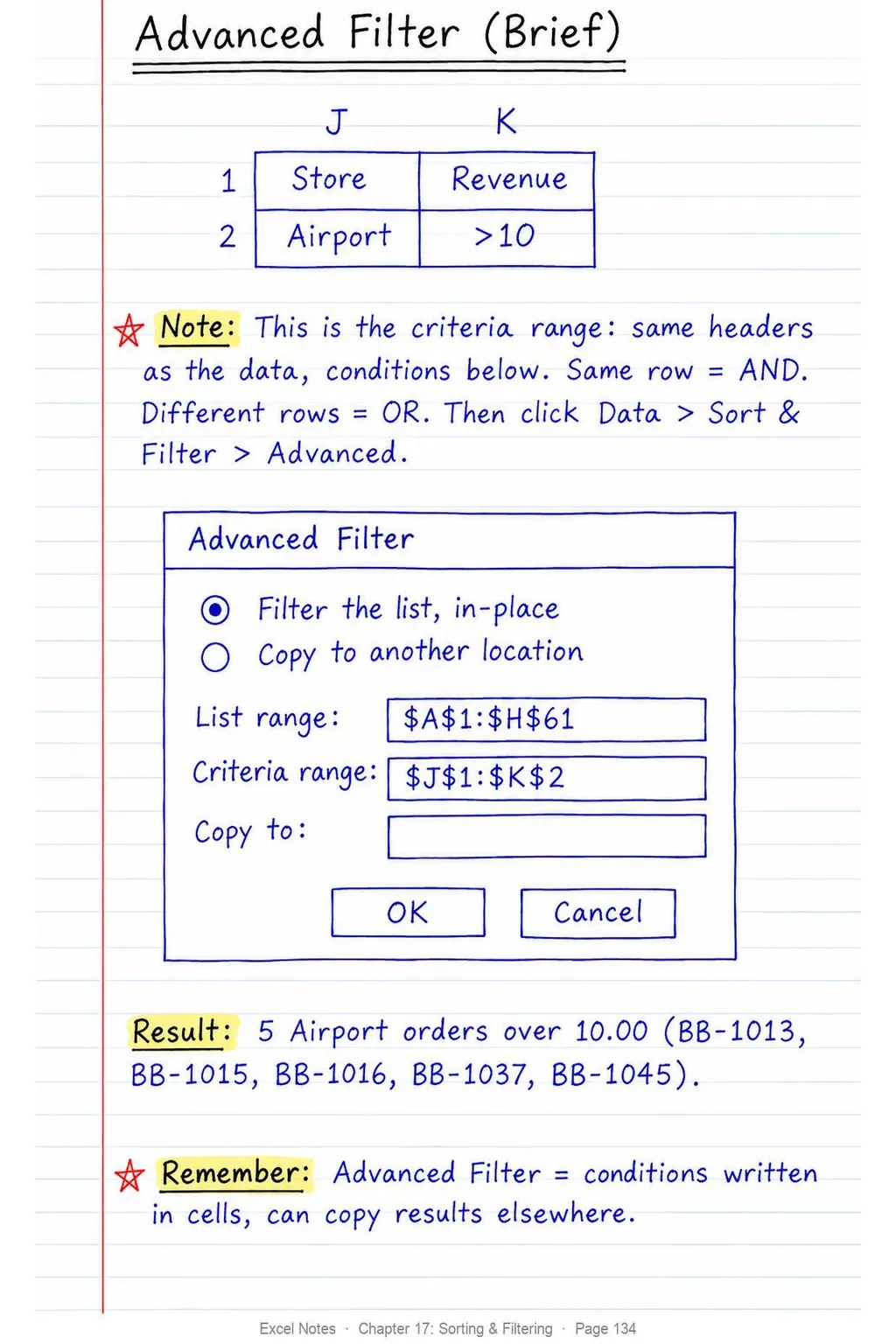
Put your data in order: sort by one column, multi-level sort, custom lists, AutoFilter for text, number and date filters, and a brief look at Advanced Filter.
Clean messy data step by step: spot dirty data, remove duplicates, Text to Columns, TRIM and PROPER helper columns, numbers stored as text, Go To Special to fill blanks, and a cleaning checklist.
Stop bad data at the door: why validate, drop-down lists, number, date and custom rules, input messages and error alerts, and dependent drop-downs from category to product.
Make patterns jump out: highlight and top or bottom rules, data bars, color scales and icon sets, formula rules that colour the whole row, duplicates, and rule order with Stop If True.
Summarise thousands of rows in seconds: prepare the data, insert a PivotTable, use the four field areas, build revenue by store, store by category, sum versus count versus average, % of Grand Total and refresh.
Take PivotTables further: group dates by month, slicers and timelines, a calculated field for profit, sorting and top 3 products, PivotCharts and a brief look at GETPIVOTDATA.
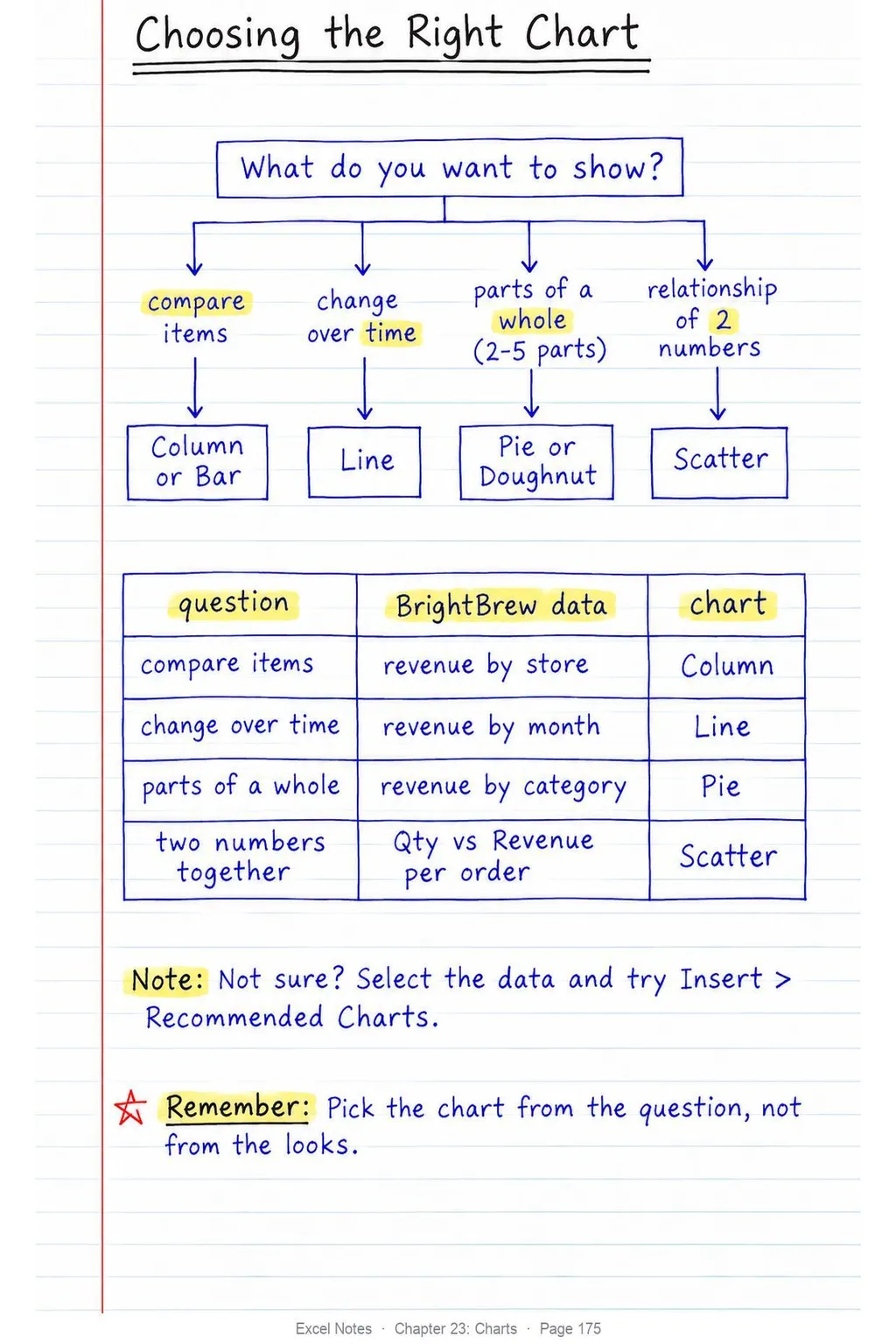
Show your data with charts: chart anatomy, choosing the right chart, column, line, pie, doughnut, bar, combo and scatter charts, plus sparklines and formatting tips.
Ask what-if questions: Goal Seek for a target profit, one-variable and two-variable data tables, Scenario Manager and a brief look at Solver.
Automate data prep with Power Query: import a CSV, use the editor and Applied Steps, common transforms, filter rows and replace values, append January and February, merge queries, then load and refresh.
Model several tables together: the Data Model, relationships, one PivotTable across tables, DAX measures for revenue, cost and profit, and how Power Pivot compares with Power BI.
Share and print your work: co-authoring, comments and notes, protecting sheets and workbooks, locking cells, page layout, print titles and areas, headers and footers, and exporting to PDF and CSV.
Automate repetitive work with macros: the Developer tab and macro security, recording a macro, the VBA editor, a first Sub with MsgBox, Range and Cells, loops and If, and buttons.
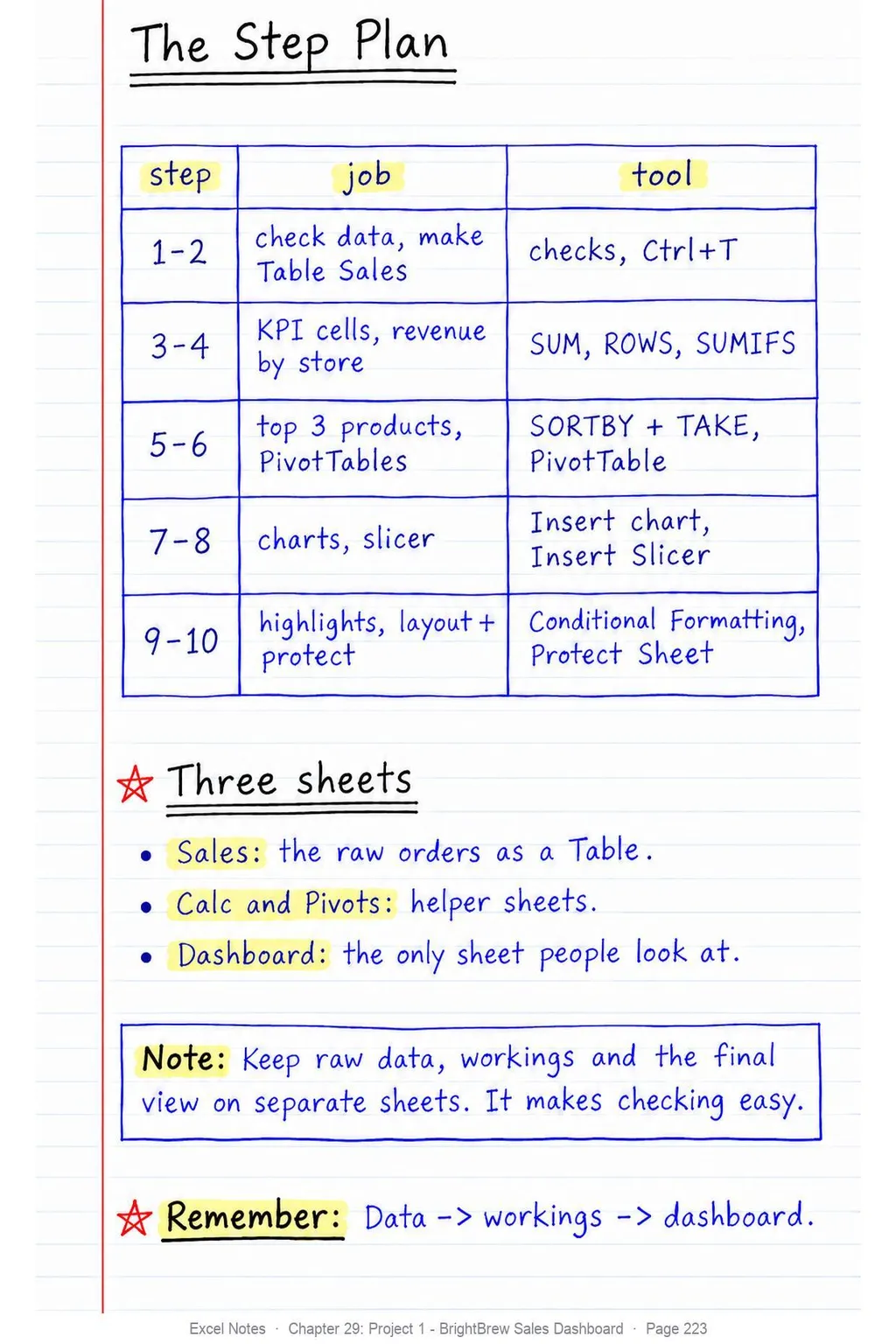
Build the BrightBrew Sales Dashboard in ten steps: check the data, make a table, KPI cells, SUMIFS by store, top 3 products with SORTBY and TAKE, PivotTables, charts, a slicer, highlights and final protection.
Build a Budget and Loan Planner: inputs, calculations and outputs layout, a monthly budget table, totals and variance, PMT, an amortization schedule, Goal Seek, a data table, a chart and input protection.
Finish ready for work: top 15 shortcuts, interview questions and answers, practical test tasks, the top 10 Excel mistakes, a learning roadmap and the whole book on one page.
Watch before you buy
Students on All Notes PDF
Real students talking about how they revise with our handwritten notes.
How it works
Get your notes in 3 easy steps
No app, no waiting. The whole thing takes under a minute.
- STEP 110 sec
Choose your notes
One subject, any two, or a full class set.
- STEP 230 sec
Pay with UPI or card
GPay, PhonePe, Paytm or card. Pay once, no subscription.
- STEP 3Instant
Download your PDFs
Tap Download on any chapter. Links never expire.
- Log in
- My library
- Download
What you get
- Format
- Downloadable PDF (not a printed book)
- Chapters
- 31 chapters in one 253 page PDF
- Level
- Microsoft Excel from beginner to advanced. No experience needed
- Style
- Handwritten-style notes with diagrams, code explained line by line, common mistakes and quizzes
- Devices
- Phone, tablet and laptop. Print any chapter if you like
- Access
- Lifetime. Download again anytime from My library
- Instant downloadRight after payment
- Free updatesCorrections added free
- Secure paymentUPI, cards, net banking